Libredesk
1-Click installation template for Libredesk on Easypanel
Description
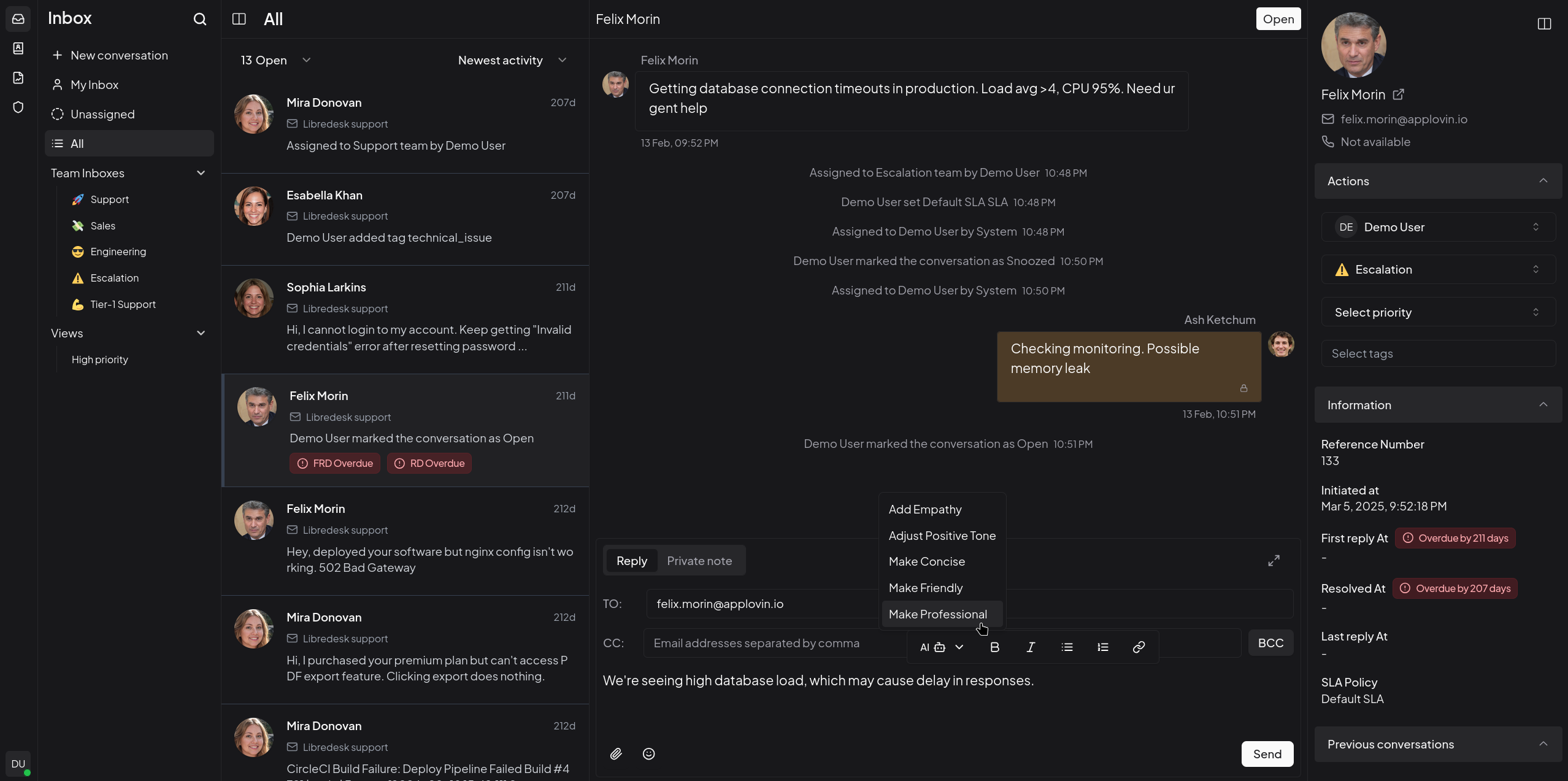
Libredesk is a modern, self-hosted helpdesk and customer support platform built with Rust. It provides a comprehensive solution for managing customer inquiries, tickets, and support workflows. Libredesk features a clean web interface, multi-user support, ticket management, and integration capabilities for businesses of all sizes.
Instructions
Default credentials are System/${SystemUserPassword}
Benefits
- Self-Hosted Helpdesk: Complete control over your customer support platform with no external dependencies or data sharing.
- Modern Architecture: Built with Rust for high performance, reliability, and security in customer support operations.
- Multi-User Support: Support for multiple agents and administrators with role-based access control.
- Ticket Management: Comprehensive ticket management system with status tracking, priority levels, and assignment capabilities.
- Clean Web Interface: Intuitive and responsive web interface that works on desktop and mobile devices.
Features
- Ticket Management: Create, assign, and track customer support tickets with full lifecycle management.
- User Management: Multi-user support with different roles and permissions for agents and administrators.
- Database Integration: PostgreSQL database for reliable data storage and Redis cache for performance optimization.
- File Attachments: Support for file attachments in tickets and customer communications.
- Configuration Management: Flexible configuration through TOML files for customizing the platform behavior.
- Automatic Installation: Automatic database schema installation and upgrades on startup.
- Health Monitoring: Built-in health checks for database connectivity and service monitoring.
- RESTful API: Comprehensive API for integration with external systems and custom workflows.
Links
Options
| Name | Description | Required | Default Value |
|---|---|---|---|
| App Service Name | - | yes | libredesk |
| App Service Image | - | yes | libredesk/libredesk:v1.0.1 |
| System User Password | Password must be 10-72 characters long should contain at least one uppercase letter, one lowercase letter, one number, and one special character. Auto-generated if empty. | no | |
| Encryption Key | Encryption key must be 32 characters long (hex string). Generate using openssl rand -hex 16. Auto-generated if empty. | no |
Screenshots
Change Log
- 2025-09-24 – First release (v0.7.4-alpha)
- 2026-02-07 – Updated to v1.0.1 and added encryption key generation and auto-generation of system user password.