RStudio
1-Click installation template for RStudio on Easypanel
Description
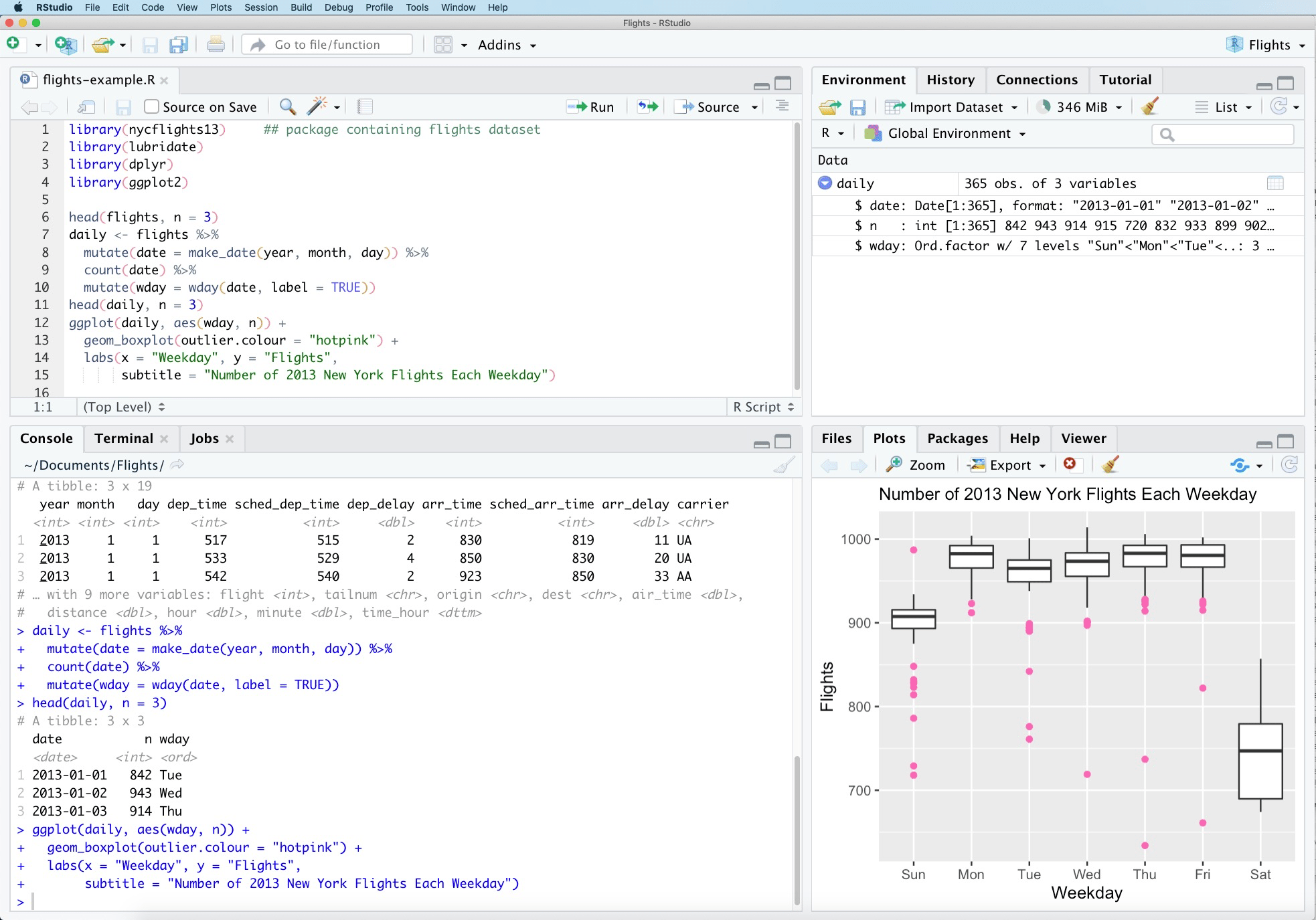
RStudio is a powerful integrated development environment (IDE) for R programming and statistical computing. It provides a comprehensive set of tools for data analysis, visualization, and statistical modeling. This server-based version allows you to access RStudio through your web browser, enabling collaborative work and remote access to your R projects from anywhere. Perfect for data scientists, statisticians, and researchers working with R.
Instructions
Default username is rstudio and password is 1234
Benefits
- Web-Based IDE: Access a full-featured R development environment through your web browser from any device without local installation.
- Statistical Computing: Powerful tools for statistical analysis, data visualization, and machine learning with extensive R package support.
- Remote Collaboration: Work on R projects remotely and collaborate with team members by sharing access to the same RStudio server instance.
- Data Science Workflows: Integrated support for R Markdown, Shiny apps, version control, and package management for complete data science workflows.
Features
- Code Editor: Advanced code editor with syntax highlighting, code completion, and debugging tools specifically designed for R.
- Data Visualization: Create interactive plots and visualizations using ggplot2, plotly, and other R visualization libraries.
- Package Management: Easy installation and management of R packages from CRAN, Bioconductor, and GitHub repositories.
- R Markdown Support: Create reproducible reports and documents combining code, output, and narrative text using R Markdown.
Links
Options
| Name | Description | Required | Default Value |
|---|---|---|---|
| App Service Name | - | yes | rstudio |
| App Service Image | - | yes | rocker/rstudio:4.5.2 |
| Password | - | yes | 1234 |
Screenshots
Change Log
- 2025-10-13 – Initial Template Release (4.5)